
While not every shooting sport uses Practiscore, it is the most common platform for signing up for shooting competitions. It is also the first place I recommend new shooters visit to see what local matches are available to them. While Practiscore is simple once you understand how the platform works, it can be intimidating to understand for someone new to it. This guide will hopefully walk you through some of the steps needed to sign up for a match and give you a better understanding of what information is needed when registering for a shooting competition.
Searching for Matches on Practiscore
Practiscore has an entire tab labeled “Matches” that makes it easy to search for upcoming competitions across the US or at a local level. There are many ways to search for upcoming shooting competitions. You can search by state or city, type in a search term such as “USPSA,” or search by the name of the range or “club”. You can also search by the name of the competition if you know exactly what match you’re looking for.
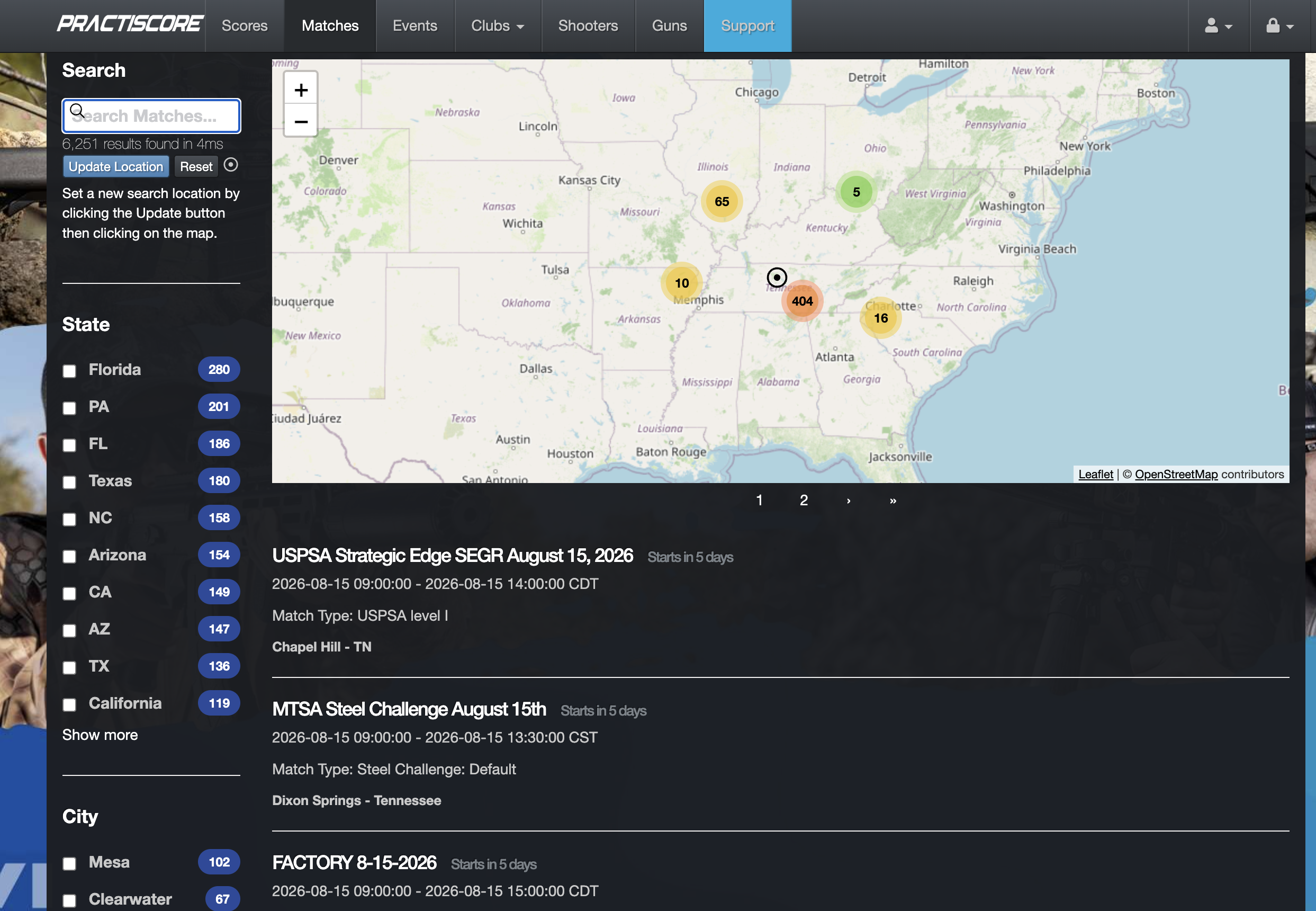
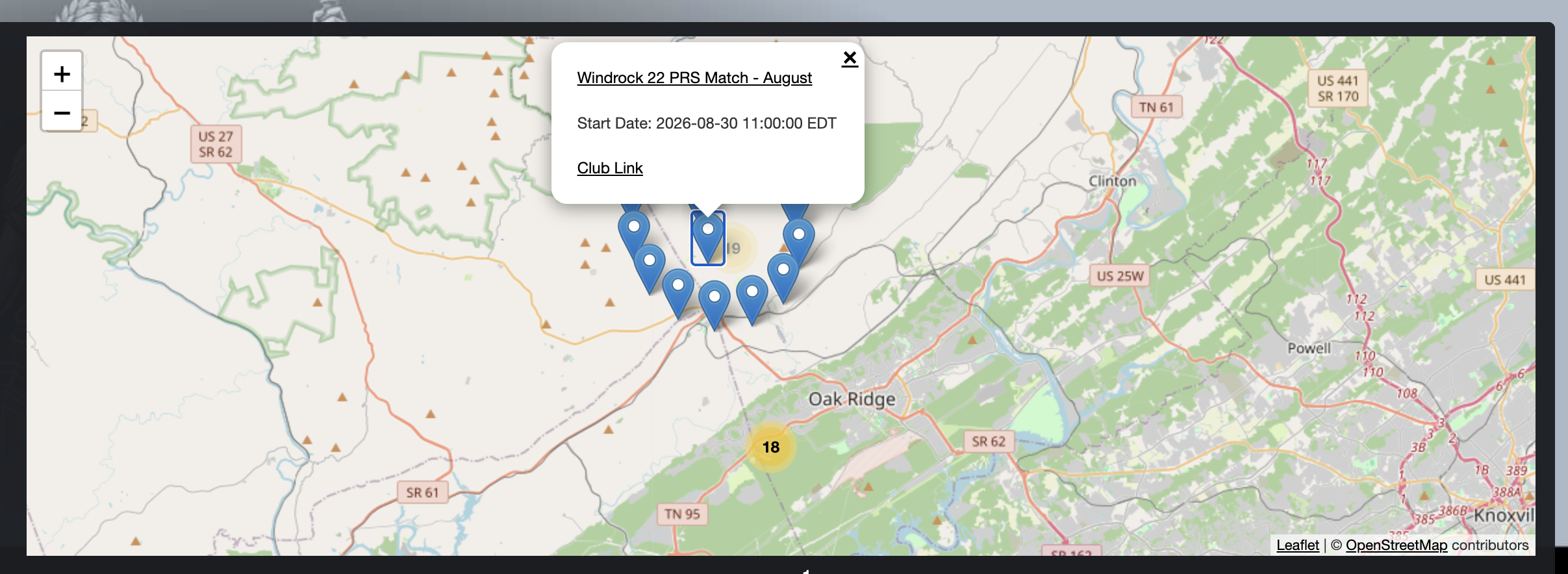
If you are brand new to shooting competitions and haven’t figured out where to start, I recommend searching matches by the state you’re in and then using the map to hover over options available. While a cell phone will give you the same view, I prefer using a desktop computer or laptop when looking through Practiscore for the first time, as it makes it that much easier. You can drag the map left, right, up, or down, and click the + or – button to zoom in and out.
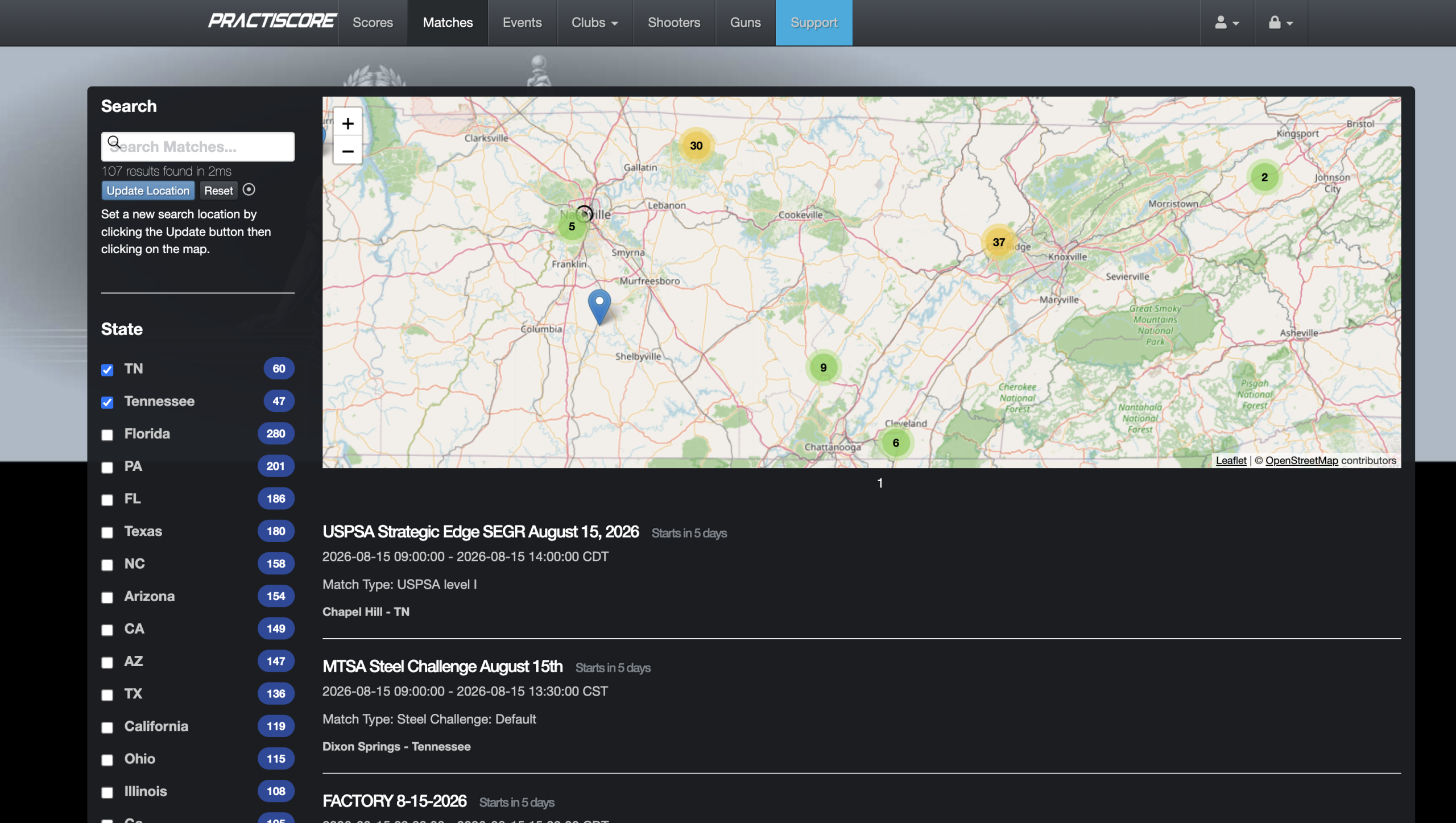
As I’m located in East Tennessee, I zoomed in to find the closest shooting competitions to me. Each blue marker is an upcoming match that you can register for. The numbered icons indicate the number of upcoming matches that will expand into blue markers once they’re clicked on. Once you select a blue marker, it will live-link the match so you can register, and it will also offer you a link to the club that is hosting the match.
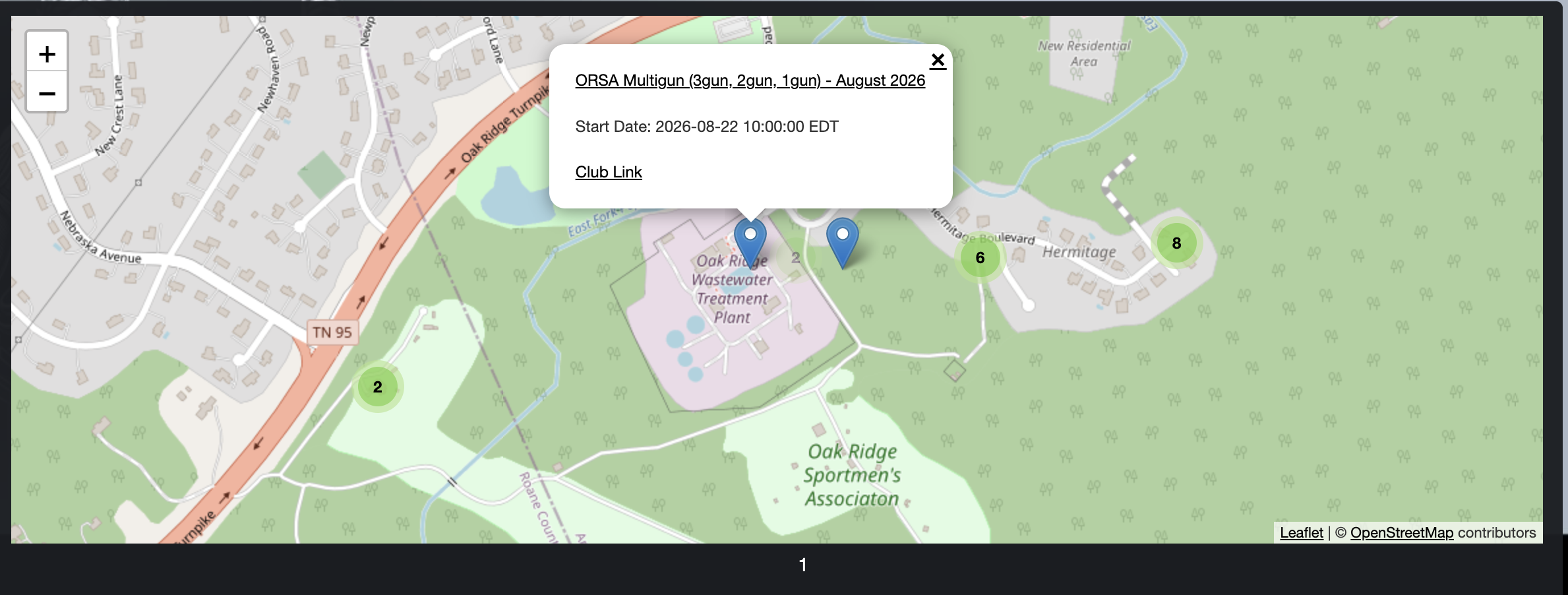
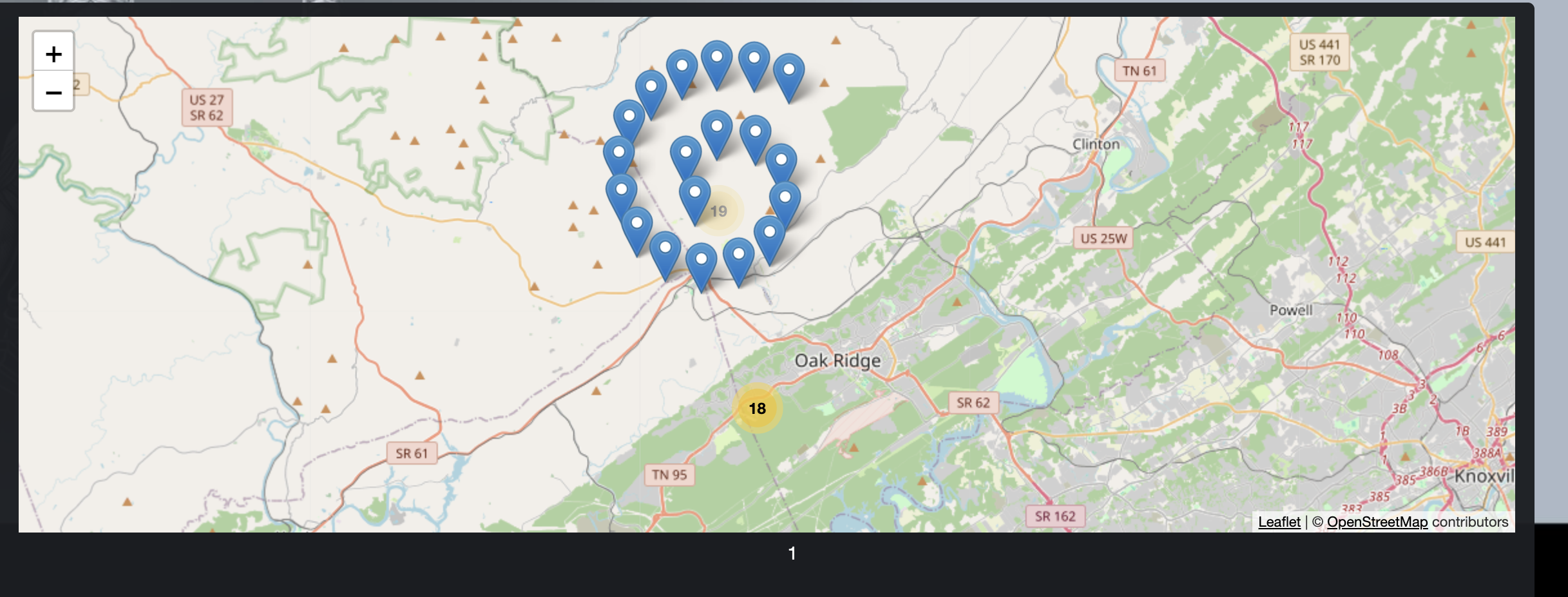
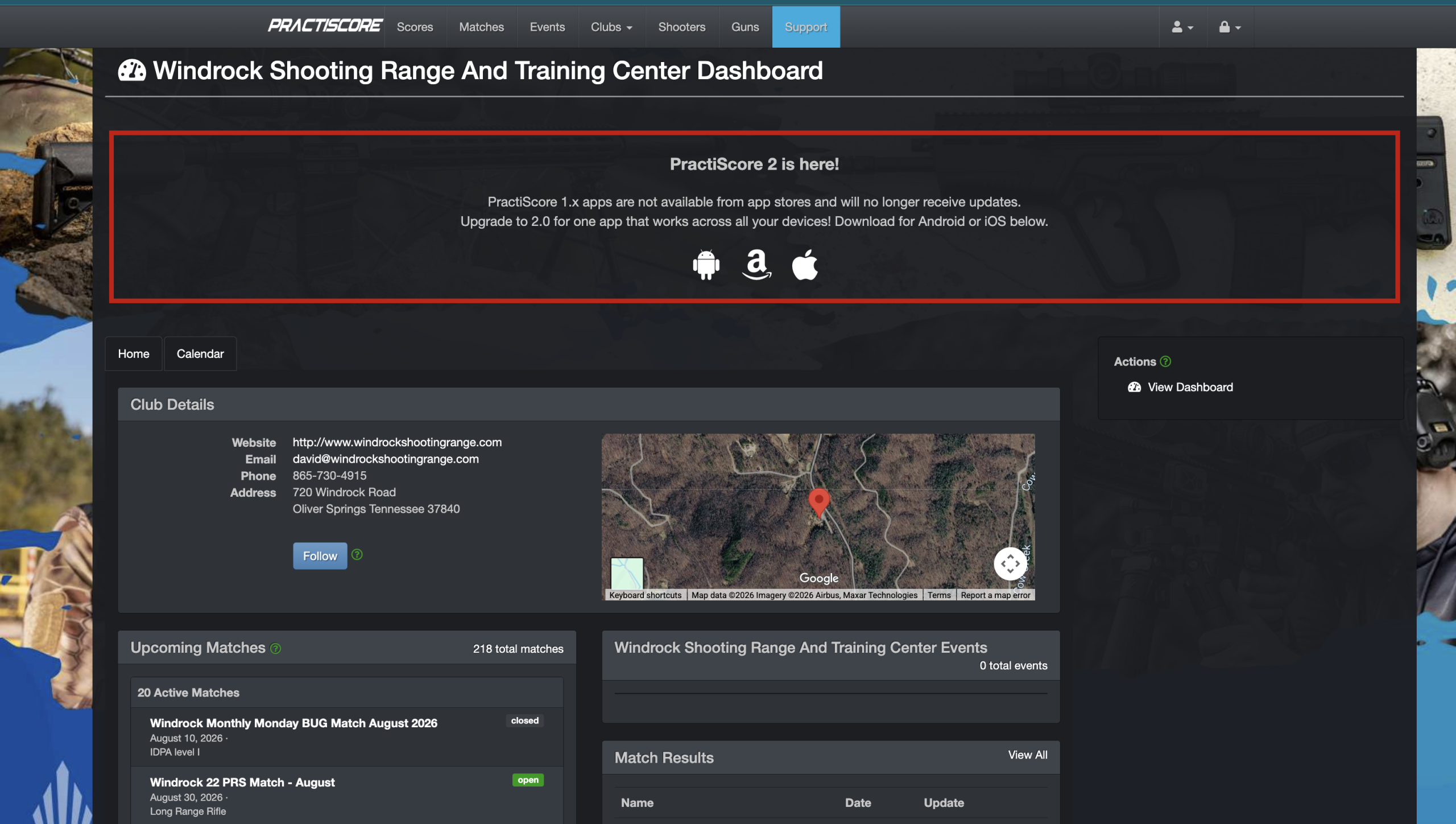
I highly recommend visiting the club link so that you can follow the club and see a list of all the upcoming matches they are hosting. For example, I clicked on the Club Link for Windrock, and it has the website, email of the primary contact there, a phone number for the primary contact, and the address of the range. It also shows the 20 upcoming matches that the range is hosting. This is the best resource for a new shooter to learn more about the local shooting community and what sports are available on a monthly basis.
Be a Spectator!
I highly recommend showing up to local matches as a spectator for several reasons. If you’re unsure of a shooting sport and want more information about what to expect, spectating is a great way to learn what it’s all about. If you don’t have all the guns or gear to participate in a shooting competition, I’d start by watching a match and connecting with local shooters. I guarantee if you connect with local shooters, many would offer to let you borrow gear or guns at the next competition for you to try out. This is how I participated in a lot of cowboy action and 3-gun competitions when I first started competing because I didn’t own a lot of the support gear or all the guns necessary to compete. Without people letting me borrow items, I would’ve had a lot harder time getting into shooting sports. Spectating can also help you learn the range commands, get an idea of the range layout, and what kind of stages might be possible on each bay. It’s a lot less intimidating to show up to compete when you have some sort of idea of what to expect come match day.
Registering for a Match
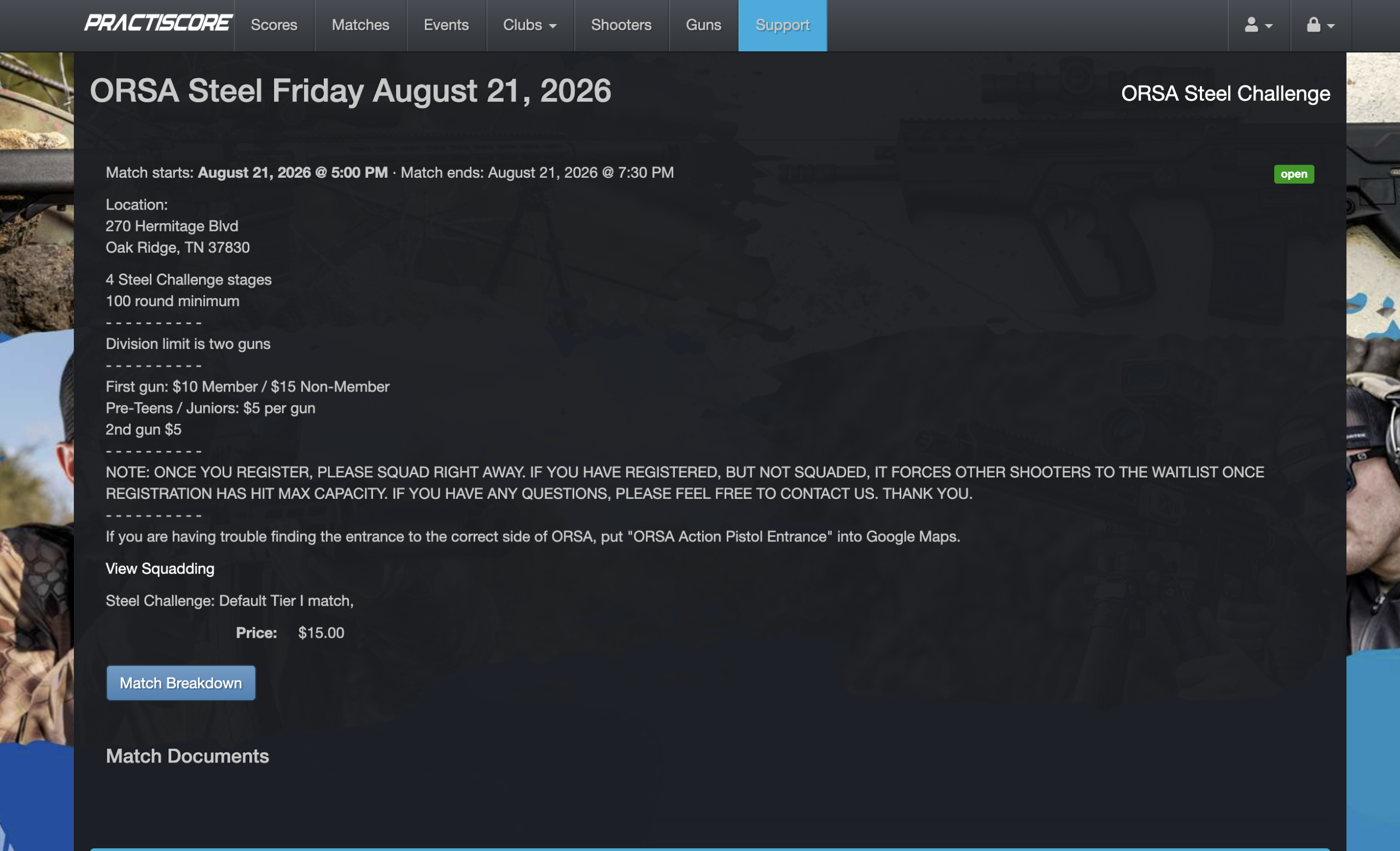
Once you find a match you’re interested in shooting, it’s time to register. When you click on a match, all the details about the match should be listed out so you know what time the match starts, the price of the match, and more information about the range. Most ongoing monthly competitions don’t use the “Match Documents” section since the event repeats every month, but larger competitions will occasionally put a matchbook, rules, and even parking/range layout instructions in the match documents section.
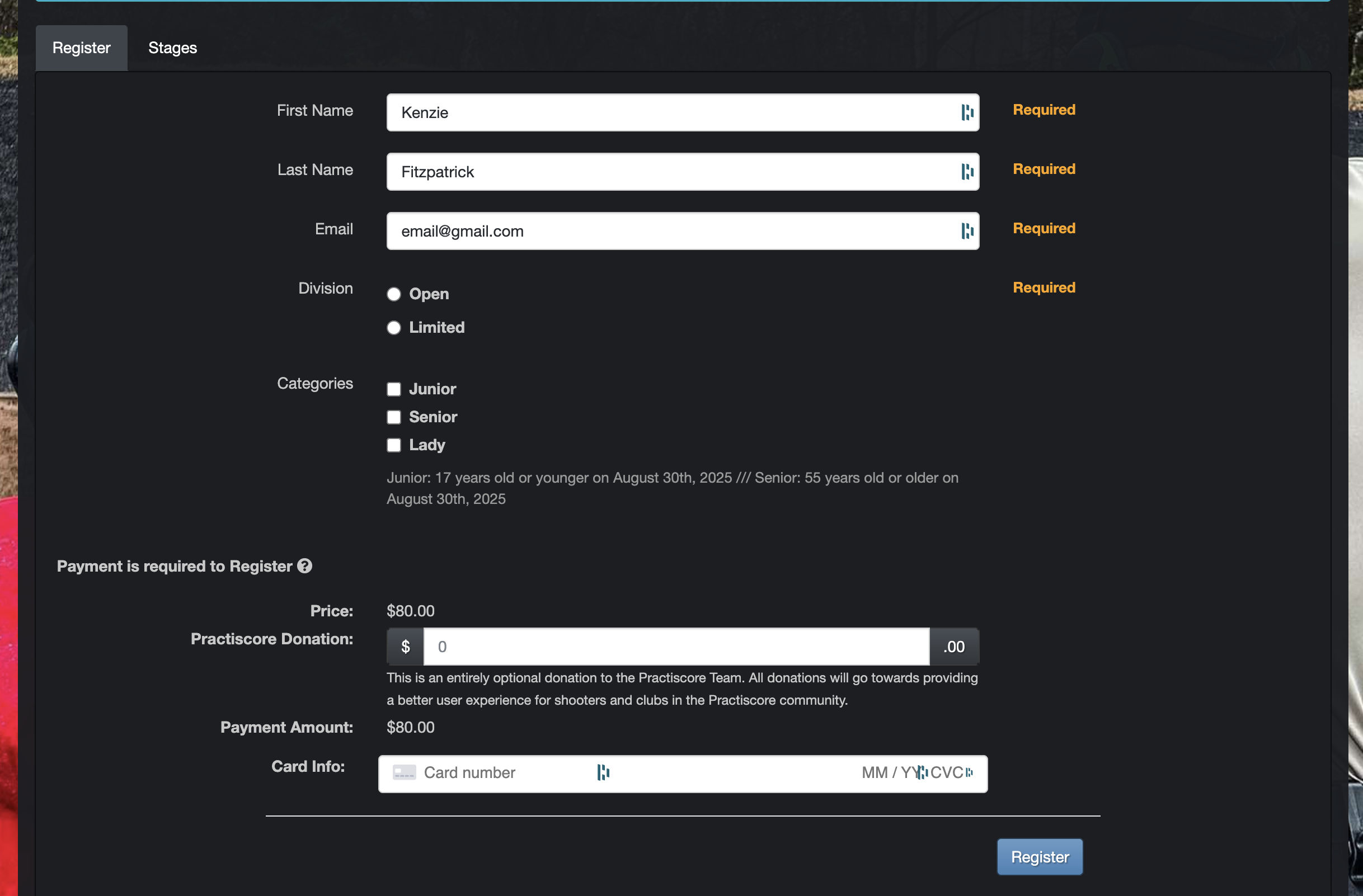
When you register for a match, you will be asked for your first name, last name, email address, and usually your division and category, sometimes your classification, and you may be asked for payment in advance. The required fields will be marked so you know what must be chosen. If you do not qualify for a category, simply leave that section blank. Some matches require payment in advance and will not let you register or squad without payment. My local matches, for example, do not take online payment, so I have to remember to bring cash to compete.
If you do not understand the divisions for the competition, there are a few ways to learn more about what you should register as. When you visit the match link on Practiscore, especially for major and multi-day matches, there should be a Match Director name and email in the description that you can reach out to to ask questions. If there isn’t one, you can also visit the club link I mentioned earlier to find an email contact and phone number for the host range or host club. This person should be able to answer your questions or point you to the right person who can. If the match is a sanctioned (meaning an official match) one for USPSA or Steel Challenge, for example, then you can find your division by reading the official rules of that shooting sport. These shooting sports have appendixes dedicated to explaining each division and what is legal and not legal to use. I highly recommend reading the rules of whatever shooting sport you plan to try.
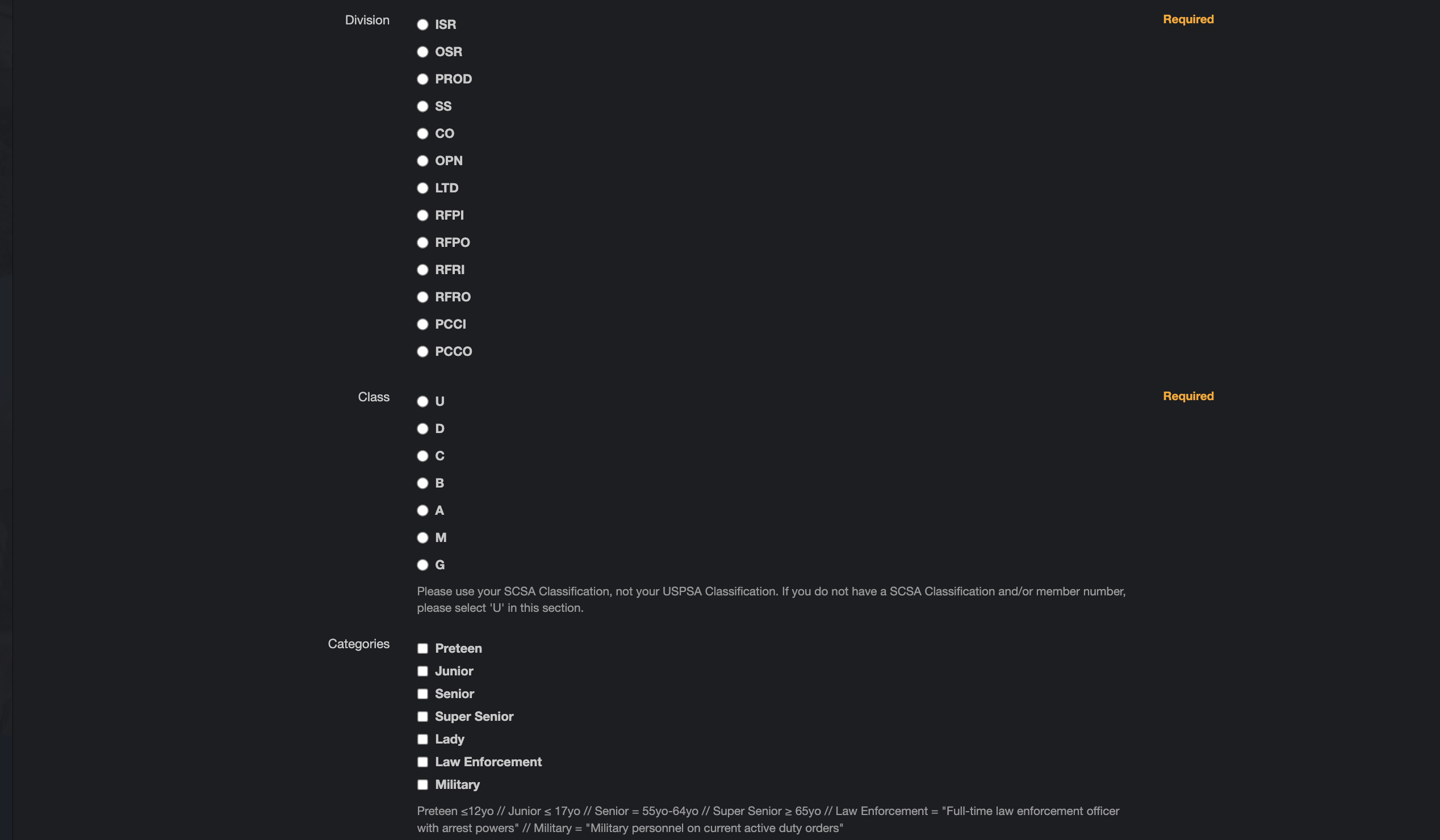
When it comes to classifications, if you don’t know what you are, you are most likely unclassified or ranked as “U”. You have to be a member of USPSA, IDPA, Steel Challenge, and more sports, in order to have a classification. Once you’re a member, your scores are tracked officially and you will receive a classification based on your performance shooting specific stages or how you finish at a major match. If you know your classification, you can simply select a letter during this step of the registration process.
Once you’ve filled out all the necessary information, you can click “Regsiter” at the bottom of the Practiscore form and prepare for the next step of squadding!
Squadding
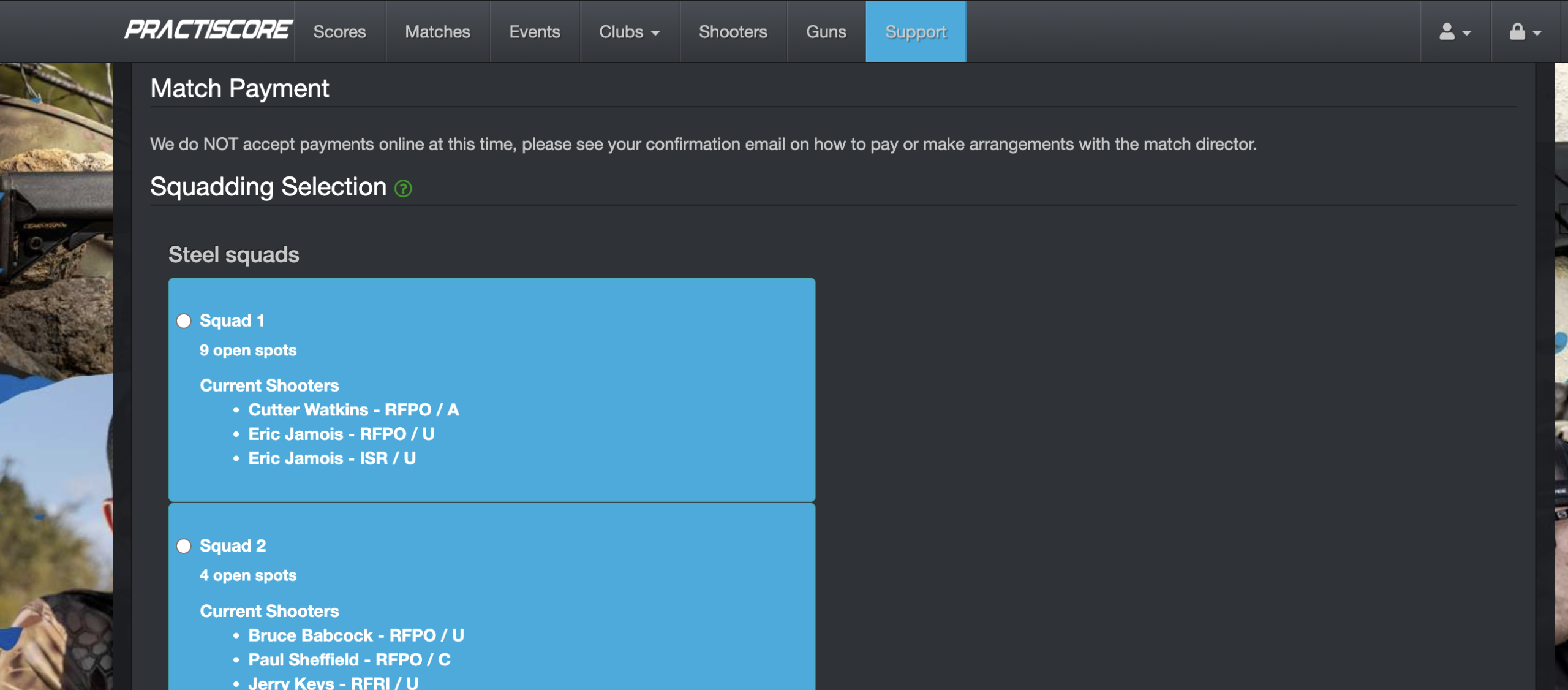
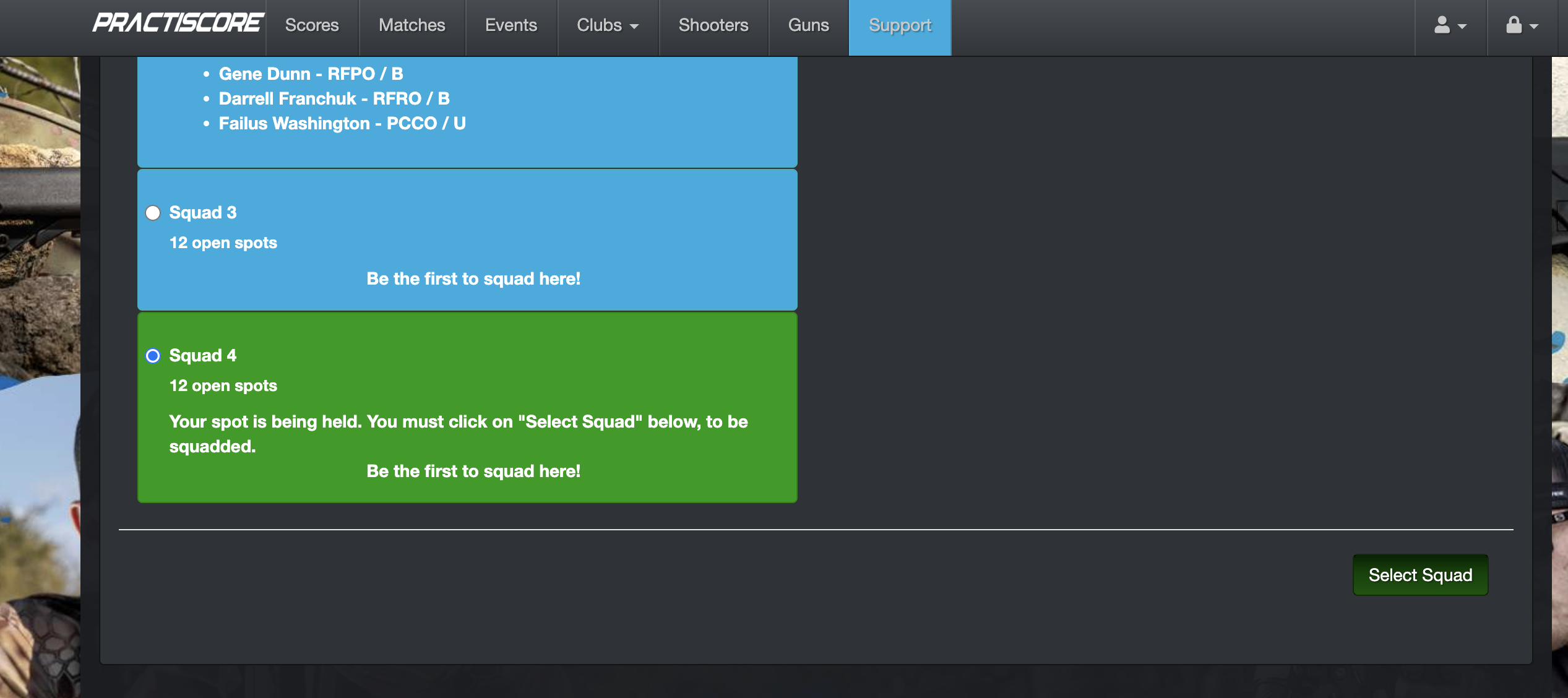
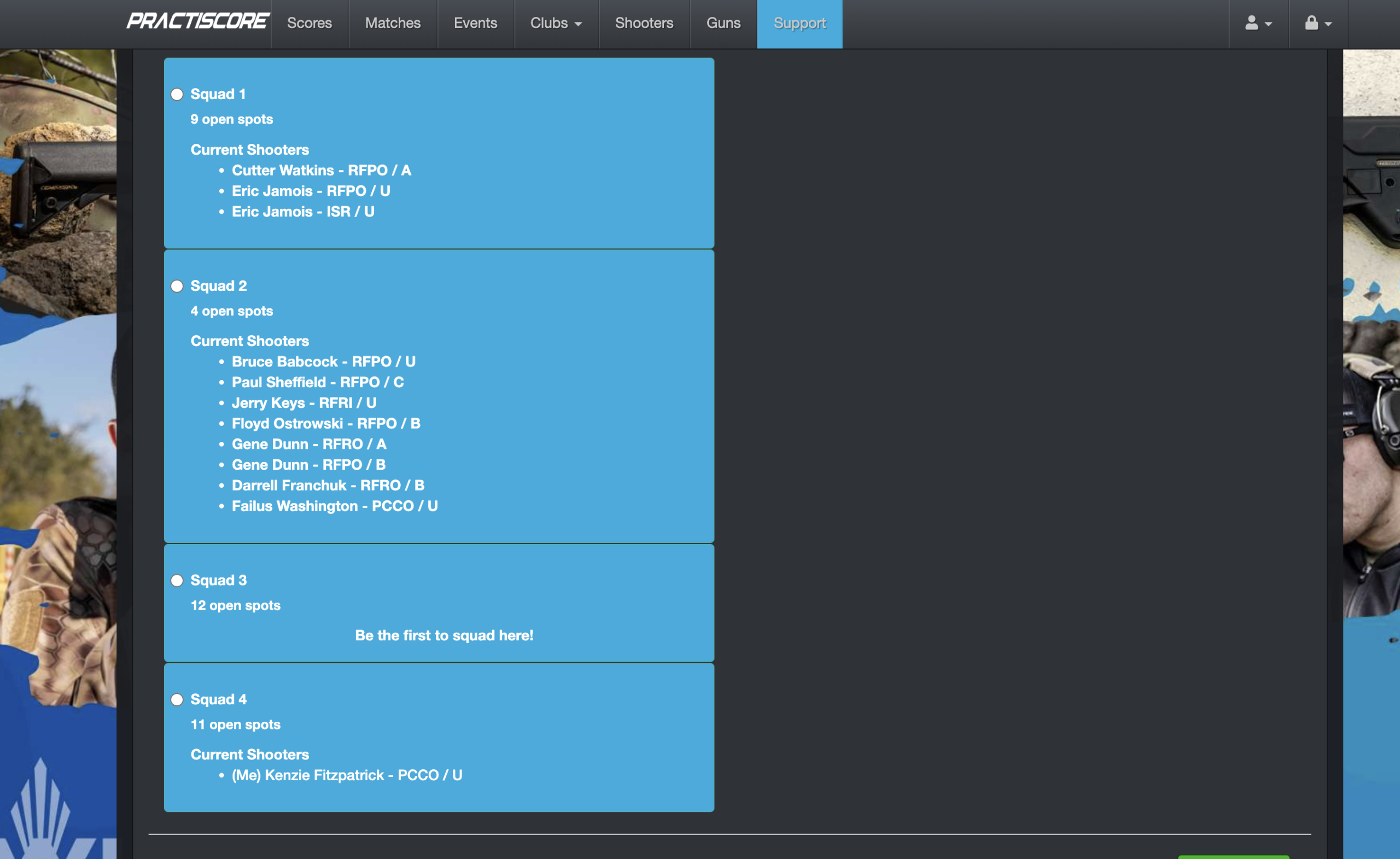
After you register for a match, you are not quite done with the process of signing up for a match. The next step is to select a squad. Sometimes, your Practiscore registration will be put on a hold and you cannot squad until the match director approves you to shoot. You will get an email when you are approved to squad and usually this happens fairly quickly. When a squad has open spots, the color of the squad is blue. When a squad is full, the box will be red. When you go to select a squad to shoot on, the box will turn green until the process is complete.
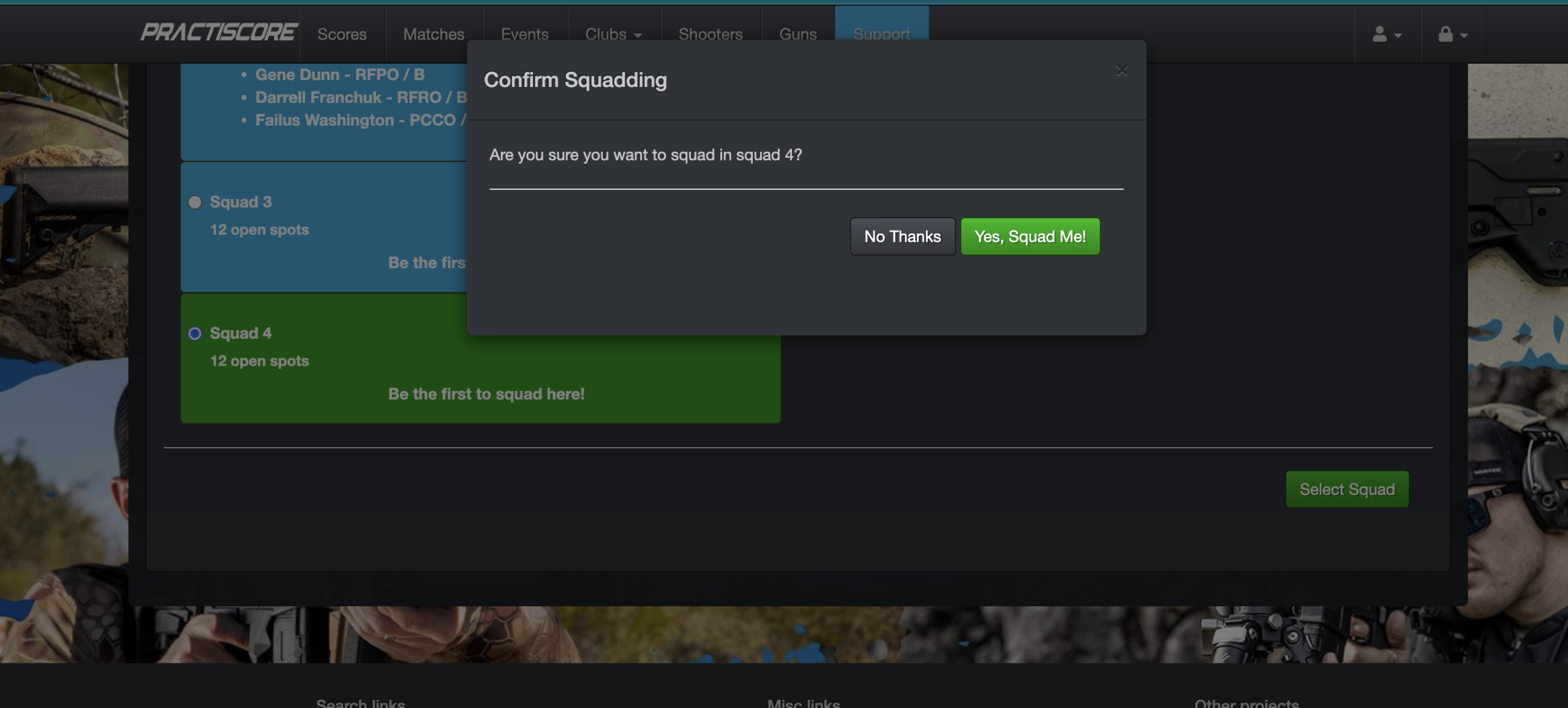
First, select a squad you want to compete on (I chose squad 4). Once the box turns green, you have to click on “select squad” at the bottom right of your screen. A pop up will come up that asks if you’re sure you want to select that squad. Click on “yes, squad me” to complete this process. Once you refresh your screen, your name will appear in the squad along with your division and classification.
More on Scoring Next!
Once you’ve shot a match through Practiscore, the “Scores” tab will have the results from the competition once they’re posted. This is sometimes immediately right after the match or can take a while to upload depending on when the match director uploads the final scores. I’ll have another article coming soon about breaking down scoring as well as the Practiscore app where you can get a lot more in depth about not just your scores, but your scores compared to other shooters.
